Top Free and Online Android Emulators for PC
Top 7 Free and Online Android Emulators for PC
Here are your long-seeked free online Android Emulators for PC. You can also use this tool to easily cast Android screen to computer.
The advantages of Andy Android emulator include; the rapid and intuitive user interface, a feature to seamlessly sync applications to pc from a smartphone, phone used as a remote, push notifications for communication applications, and the unlimited storage that it provides. Also, it is available for Mac. Disadvantages include; that it requires VirtualBox to install it first, it runs of Android 4.2 only, cannot send texts, requires high performing graphic card, and cannot take screenshots.
You can download both the Windows and Mac version from their official website on the link below:

2. Geny Motion
Geny Motion's advantages include; that it allows users to change the android version, it is easy to use, supports drag and drop feature, doesn't have compatibility issues, and it directly supports networking through Ethernet/Wi-Fi. Disadvantages include that it is only free for personal use, has no push notifications, needs a Google account to install and use it, browsing is not supported, and installations need Virtualbox first. This android emulator is also available for Mac.
You can download this android emulator here:
https://shop.genymotion.com/index.php?controller=order-opc
3. Official emulator from Android
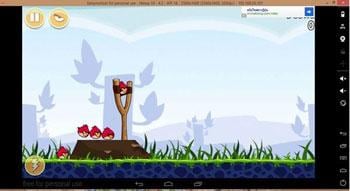
This android emulator app has advantages in that it has better compatibility as it is created by android makers. Hence it runs most of the android applications, it can be used for developers, and it is for free. Disadvantages include that it is more concentrated on developers hence compatible with beta versions of applications, the installation is complicated, does not support multi-touch, has no push notifications, and needs one to download SDK to install it first.
http://d1ubedgu4eka0j.cloudfront.net/ANDY/installer/v43/Andy_Android_Emulator_v43_1.exe
4. BlueStacks Android Emulator i
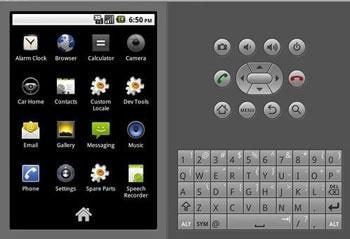
BlueStack android emulator is popular; hence a good platform for advertisers, it is free, it can automatically search for apps and display on its user interface, OpenGL Hardware support and has support for developers. However, it requires one to have a Google account to start using it, a powerful graphic card, has limited ARM support and has no push notifications. It is available for both Mac and Windows OS.
Download it from the links below www.bluestacks.com/app-player.html
5. Jar of Beans
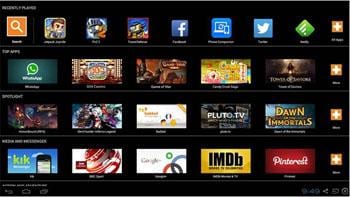
Jar of Beans Android simulator has a simple and straight forward downloading process and installation, has a high-quality resolution, works well with all Windows platforms. It is free and has an intuitive user interface. However, it is based on the Jelly bean version; hence it has compatibility issues with other android versions, does not support developers. It has no camera integration, no push notifications, and no multi-touch screens.
It is only available for Windows OS.

6. Droid4X
Droid4X Android simulator has high performance with graphics rendering, compatibility as it supports ARM application running in x86 framework, multi-touch supported, supports the drag and drop feature for installation, and is for free. It, however, has no support for developers, no camera integration, no push notifications, does not support app sync to mobile, and does not run the application on the desktop.
It also does not support Mac, and the android simulator can be downloaded here http://www.droid4x.com

7. Windroy Mobile
This android simulator allows users to send pictures in batch, one can browse and subscribe WeChat public numbers, large screen resolution, high performance, and it contains PC side mate and mobile app. However, it does not support developers, has no camera integration, has no app sync, no sensors integration, and does not support Mac OS.


Comments
Post a Comment